Hotel ERP
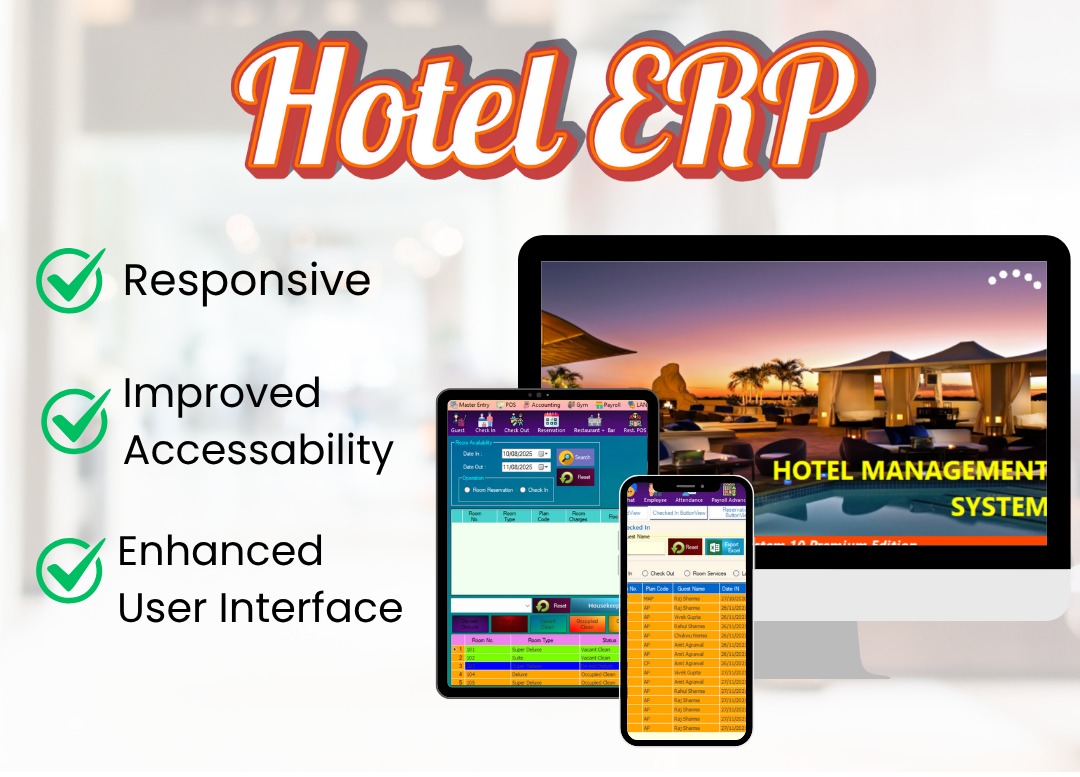
Overview of the Hotel ERP system showing the main dashboard and key modules.
1. Master Entries
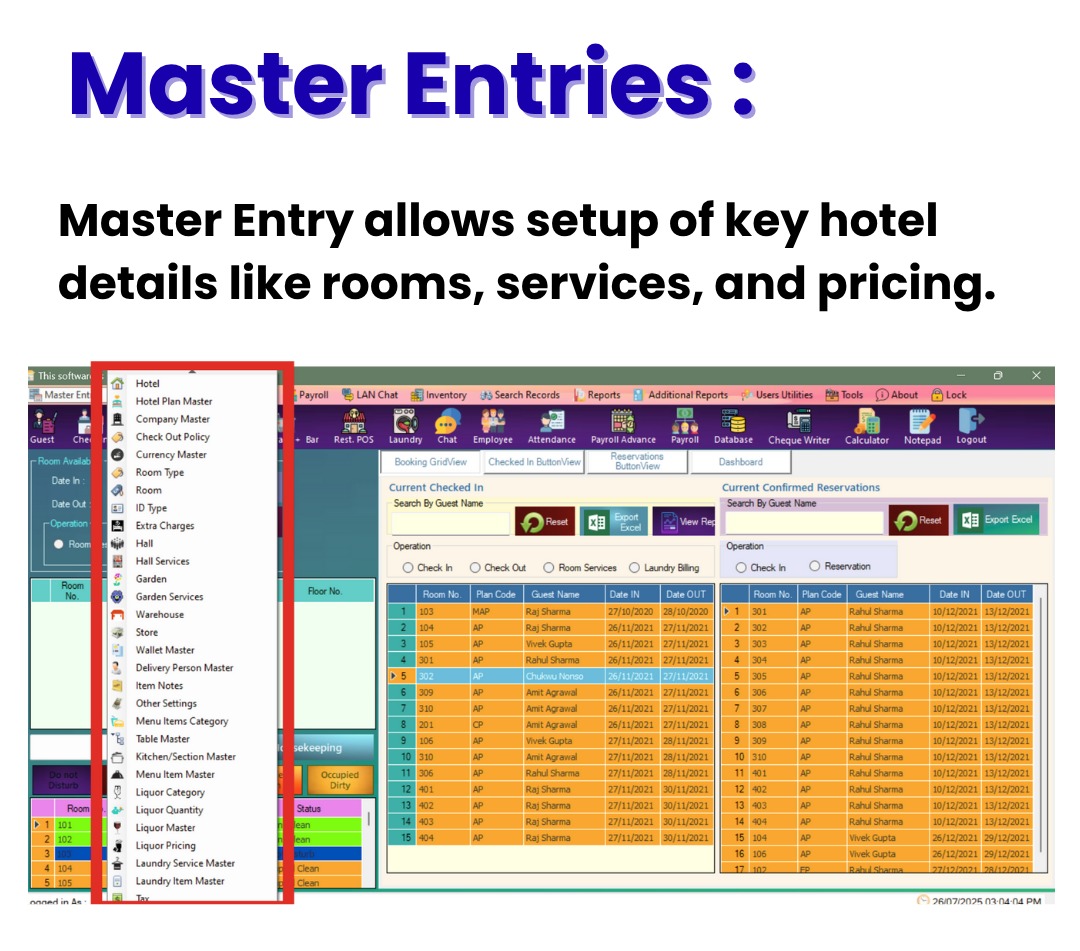
Master Entries section contains the foundational setup for hotel information, food and beverage categories, liquor management, laundry services, tax configurations, shop inventory, guest activities, and asset management.
- Hotel Info & Management
- Hotel info, logo, VAT, invoice footer
- Room types, seasonal plans, extra charges
- Company clients for billing
- Check-out policies & currency settings
- Halls, gardens, warehouses, stores management
- Wallets (Easypaisa, JazzCash), delivery staff info
- Food & Beverage
- Menu item categories, kitchen sections, tables
- Detailed menu items with prices, discounts, images
- Liquor Management
- Categories: Whiskey, Vodka, Rum, Beer, Cocktails
- Standard quantities & pricing based on customer category
- Maintain liquor item details & discounts
- Laundry Management
- Laundry Service Master: Manage hotel laundry services like dry cleaning, ironing, and washing, with pricing for each service.
- Laundry Item Master: Track specific laundry items such as bed sheets, detergents, and fabric softeners, including cost and stock details.
- Tax Configuration
- Define tax rates for various services and reservations (rooms, events, laundry), including VAT, service tax, and discounts.
- Shop & Inventory Management
- General Shop Item Master: Manage inventory and pricing of items sold in the hotel’s shop, like toiletries and snacks.
- Guest Activities & Services
- Activities Master: Enter and price additional guest services such as spa treatments, haircuts, and fitness center usage.
- Asset Management
- Asset Management Entry: Record and manage physical or digital assets, track quantities, update or delete asset info, and export asset lists.
2. POS (Point of Sale)
Point of Sale module handles sales and billing operations for services outside of room bookings, including restaurant, bar, shop, and recreational centers.
- Handles sales & billing outside room bookings
- Manages purchases from restaurant, mini bar, shop, and recreational centers
- Ensures accurate billing & accounting integration
- Restaurant + Bar POS Features
- Select guest or room, choose store
- Add items (food, beverages, liquor)
- Multiple payment modes (cash, card, wallet, credit)
- Send orders to kitchen/bar, settle bills
- Review past orders easily
- Restaurant POS Use
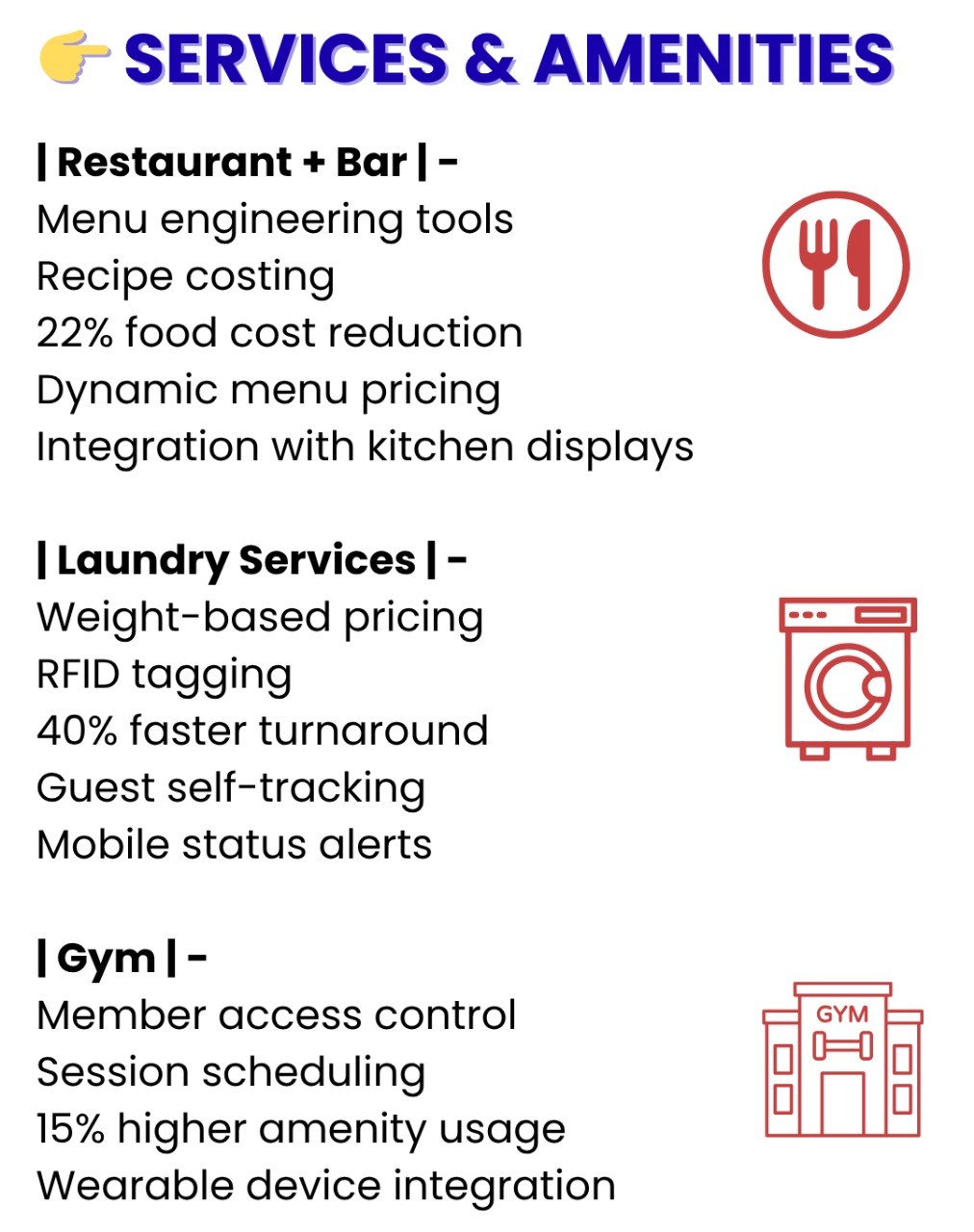 Restaurant POS interface managing dine-in, takeaway, and delivery orders with real-time kitchen tracking and detailed sales reporting.
- Manage dine-in, takeaway, delivery orders
- Assign tables, print receipts, real-time kitchen tracking
- Set prices by service type
- Generate sales reports (daily, weekly, monthly)
- General Shop POS
- Sales of retail items with multiple payment options
- Print receipts & view sales history
- Activities Billing
- Billing for guest services (facial, massage, haircuts)
- Auto calculate totals & generate summaries
- Reports for all POS modules
- Filter by date, guest, room, payment mode
- Track sales, taxes, discounts, and payments
3. Accounting
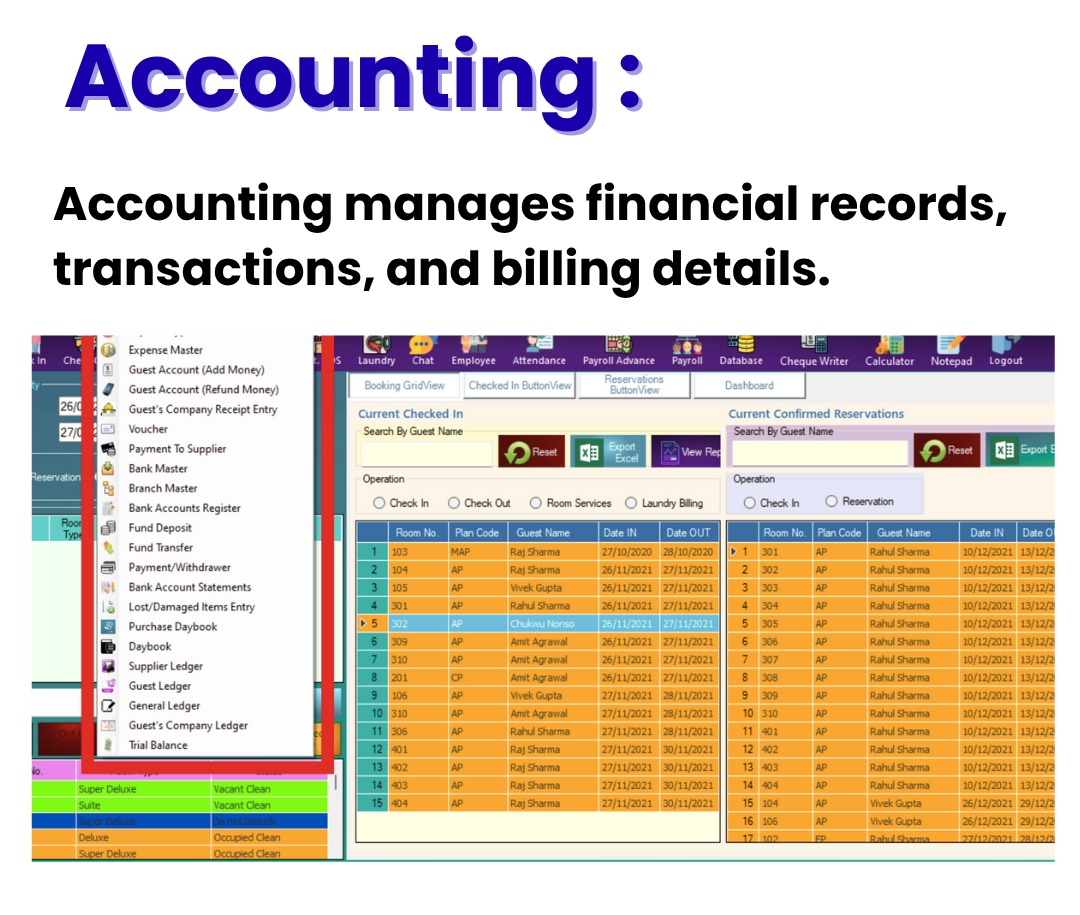
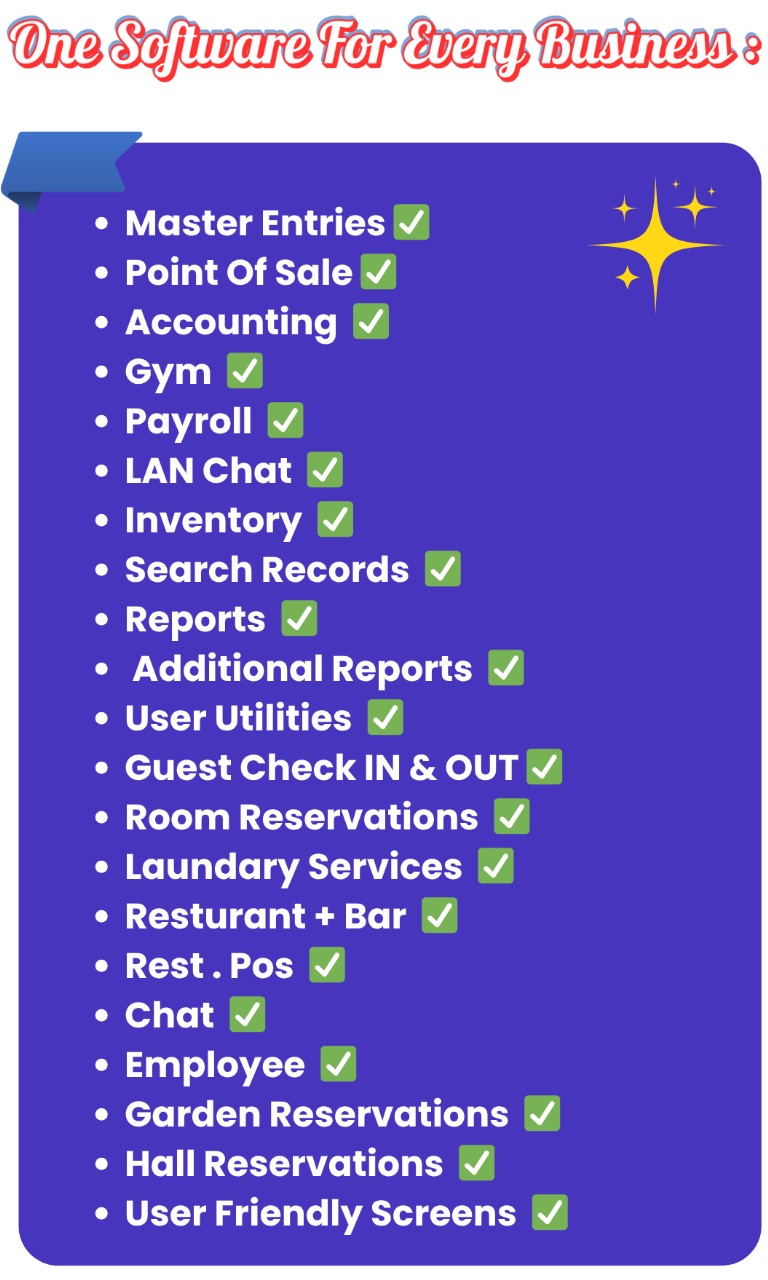
The accounting module manages all financial transactions, including expenses, payments, receipts, and bank account management.
- Manages financial transactions & record-keeping
- Expense types & master records
- Guest account payments & refunds
- Company receipts & voucher management
- Supplier payments & bank account management
- Fund deposits, transfers, payment & withdrawal records
4. Gym Membership System
- Member details & membership types
- Payment tracking: charges, discounts, taxes, total
- Fitness measurements: weight, BMI, fat %, goals
- Manage entries: add, update, retrieve data
5. Payroll
- Automates salary, attendance, advances, and payments
- Employee registration with personal & biometric data
- Attendance tracking (manual & biometric)
- Payroll advances & deductions
- Salary payment entry with auto-calculation & printing slips

Staff and productivity monitoring features help track employee performance and optimize hotel operations.
6. LAN Chat
- Internal real-time messaging for hotel staff
- Improves coordination & reduces external tool dependency
- Messages visible to all logged-in users automatically
7. Inventory
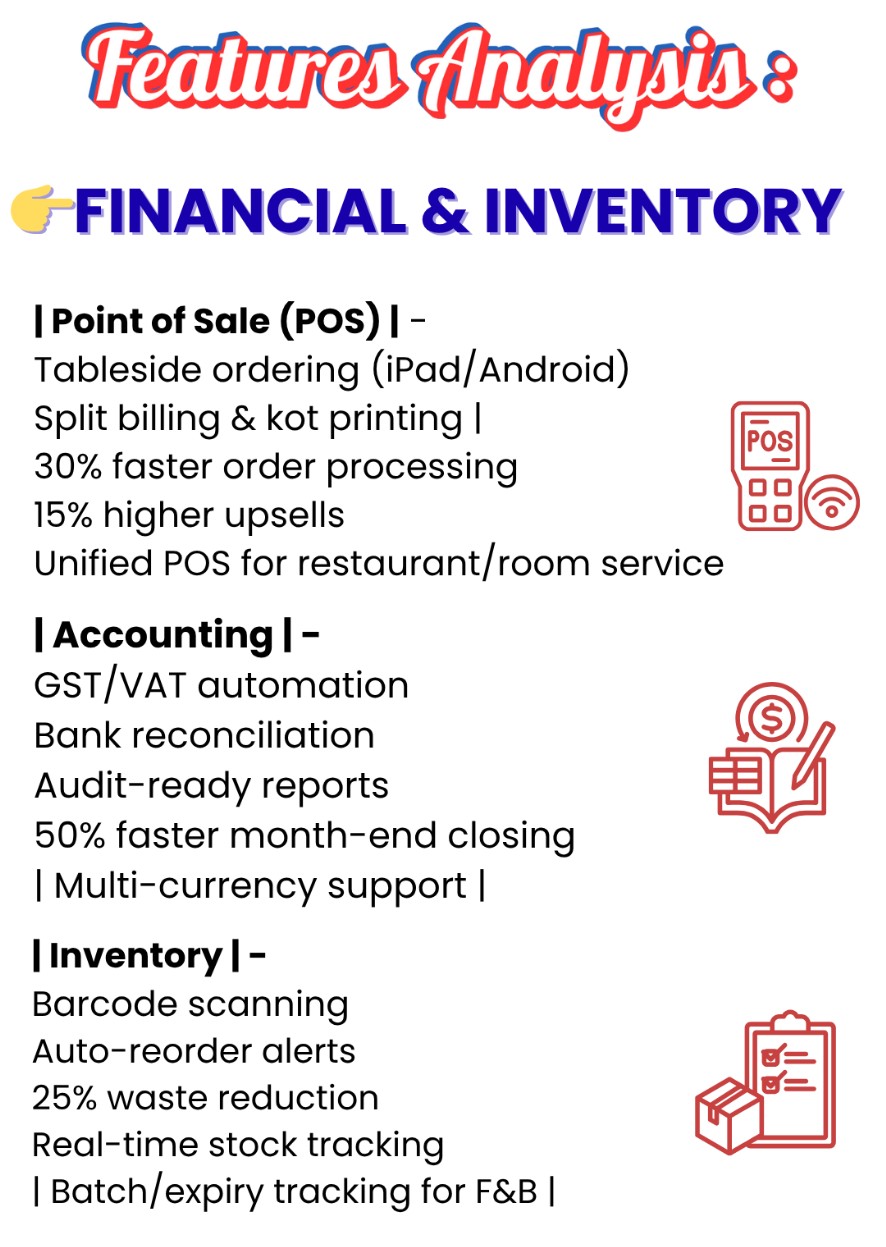
Inventory module includes supplier management, purchase orders, stock transfers, and detailed ingredient cost control.
- Supplier management & purchase orders
- Received inventory tracking & payment modes
- Purchase invoice management
- Subtotal, discounts, other charges, previous dues
- Total, rounding adjustments, grand total
- Amount paid & remaining balance
- Defines dish ingredients, quantities, & costs
- Helps cost control & inventory management
- Includes recipe name, category, description, etc.
- Liquor & beverages stock transfers with logging
- Raw material transfers (vegetables, meat, spices)
- Stock adjustments with reasons & verification
8. Reports
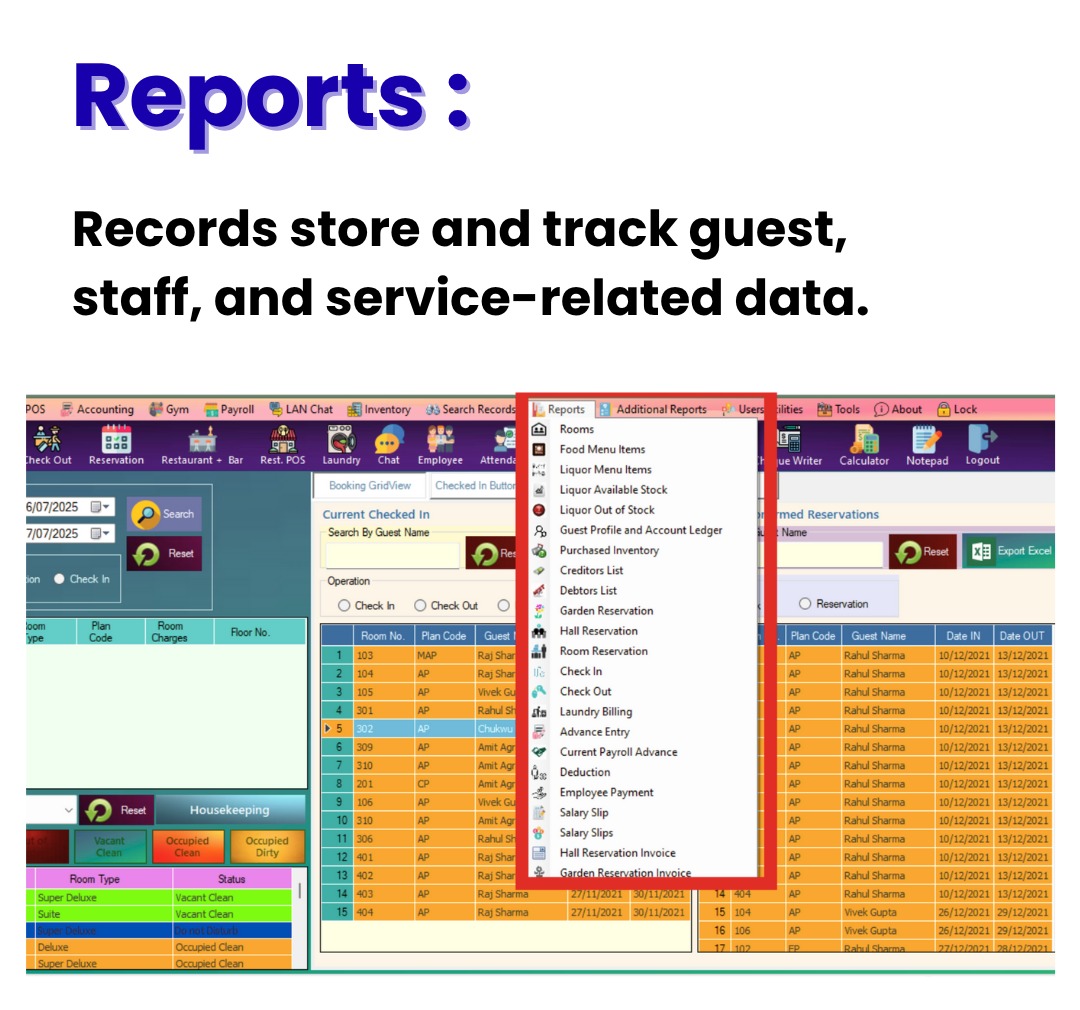
Various reports such as liquor stock, guest ledger, inventory status, reservations, and payroll advances provide comprehensive data analysis.
9. Search Records
- Search hotel data such as employees, suppliers, guests, inventory, and financial records.
- Filters: date, name, room number, payment details, etc.
10. User Utilities
- User registration and role management.
- User rights assignment and access control.
- Activity logs for auditing user actions.
11. Tools
- Cheque Writer
- Execute SQL Queries (Admin only)
- Notepad, Calculator, WordPad, MS Word
- MS Paint
- Task Manager
- System Info
1. Guest Module
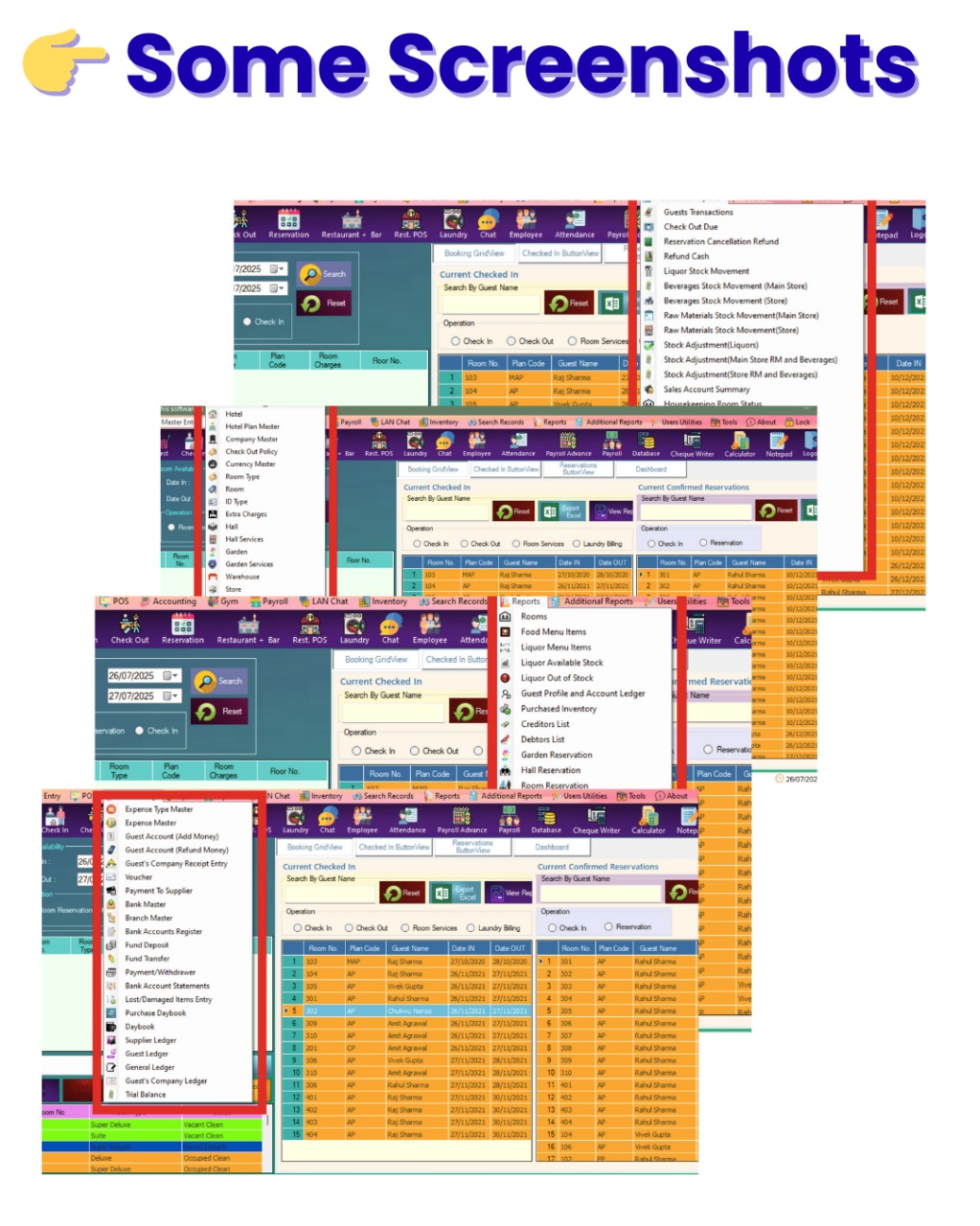
Guest module interface for managing guest profiles, check-ins, billing, and reservations.
2. Check-In
- Assign rooms on guest arrival.
- Record check-in time, guest count, IDs, deposits.
- Attach add-on services (e.g., breakfast, transport).
- Provide printable check-in slips.
3. Check-Out
- Generate final bills covering all services.
- Accept payments via cash, card, online.
- Automatically release rooms for next guests.
- Ensure smooth checkout with billing accuracy.
4. Guest Information
- Retrieve guest data by Guest ID.
- Includes guest personal details, ID verification, account balance.
5. Payment Information
- Record payment mode (Cash, Card, Online).
- Capture card details and payment dates.
- View past payments.
6. Rate & Room Information
- Track room number, availability, complimentary stays.
- Record stay details: dates, number of guests, extra beds.
- Auto-calculate length of stay.
7. Charges and Billing
- Manage charges: room, restaurant, laundry, extra services.
- Apply discounts, service tax, VAT.
- Generate subtotal, grand total, paid and balance amounts.
- Bill information with number and date.
8. Additional report
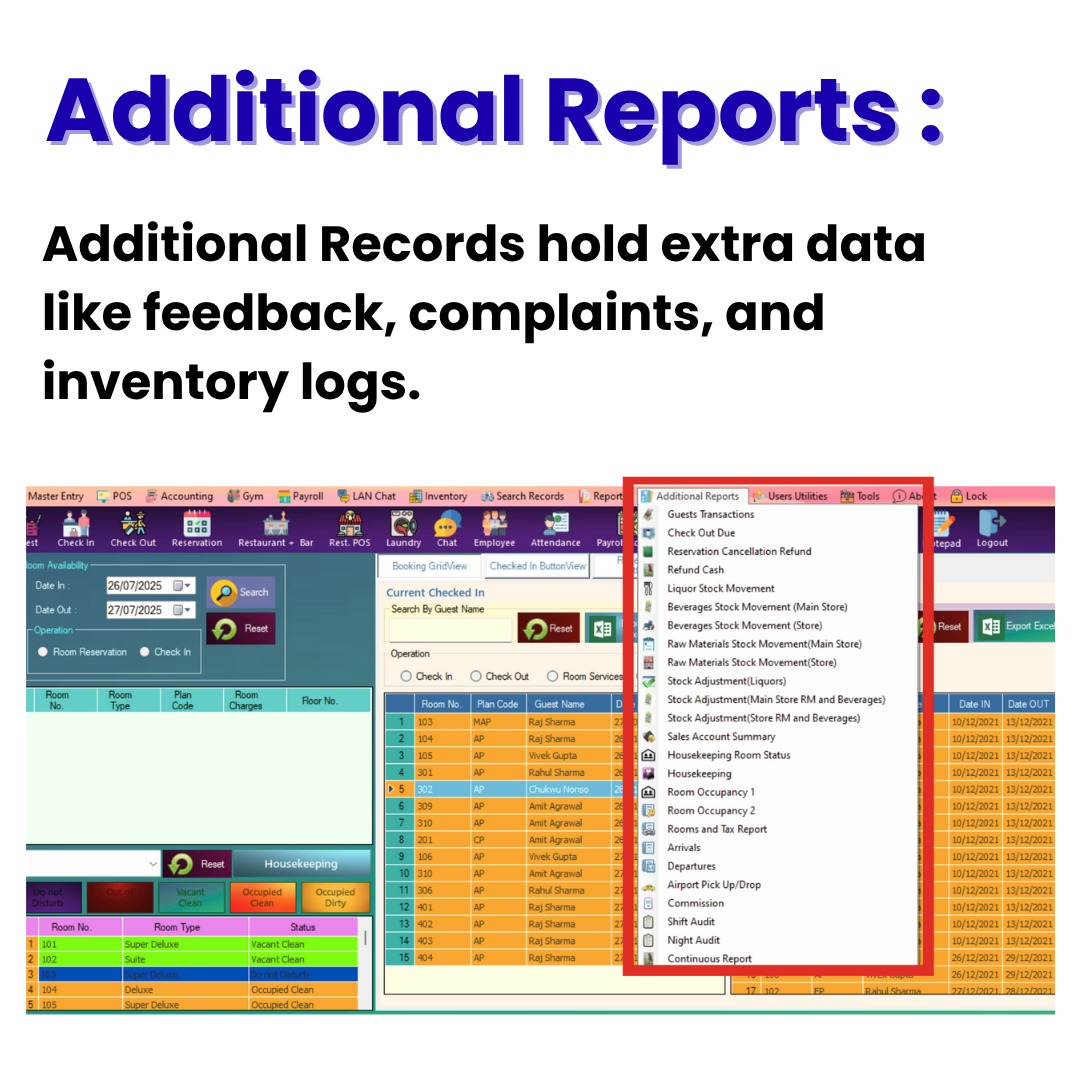
Reports for additional charges including lost items, early check-in, and airport transfers.
9. Other Guest Info
- Track arrival/departure flights, special requests, business source, booking number, commissions, staff notes.
10. Final Actions
- Manage reservations, finalize checkouts, save/update records, and print details.
11. Reservation
- Book rooms, halls, gardens with guest details.
- Handle advance payments, room blocking, tax calculations.
- Save, update, cancel, or print reservations.
12. Hall/Garden Reservation
- Book event venues with optional services (catering, DJ).
- Auto-generate bills with discounts and taxes.
- Track grand total, paid amount, and balance.
- Add special instructions (event type, decor, timings).
13. Restaurant + Bar
- Restaurant: Manage menus, dine-in and room service orders, food categories.
- Bar: Track liquor stock, serve drinks, add bar bills to guest accounts, handle in-room and counter orders.
14. Billing Information
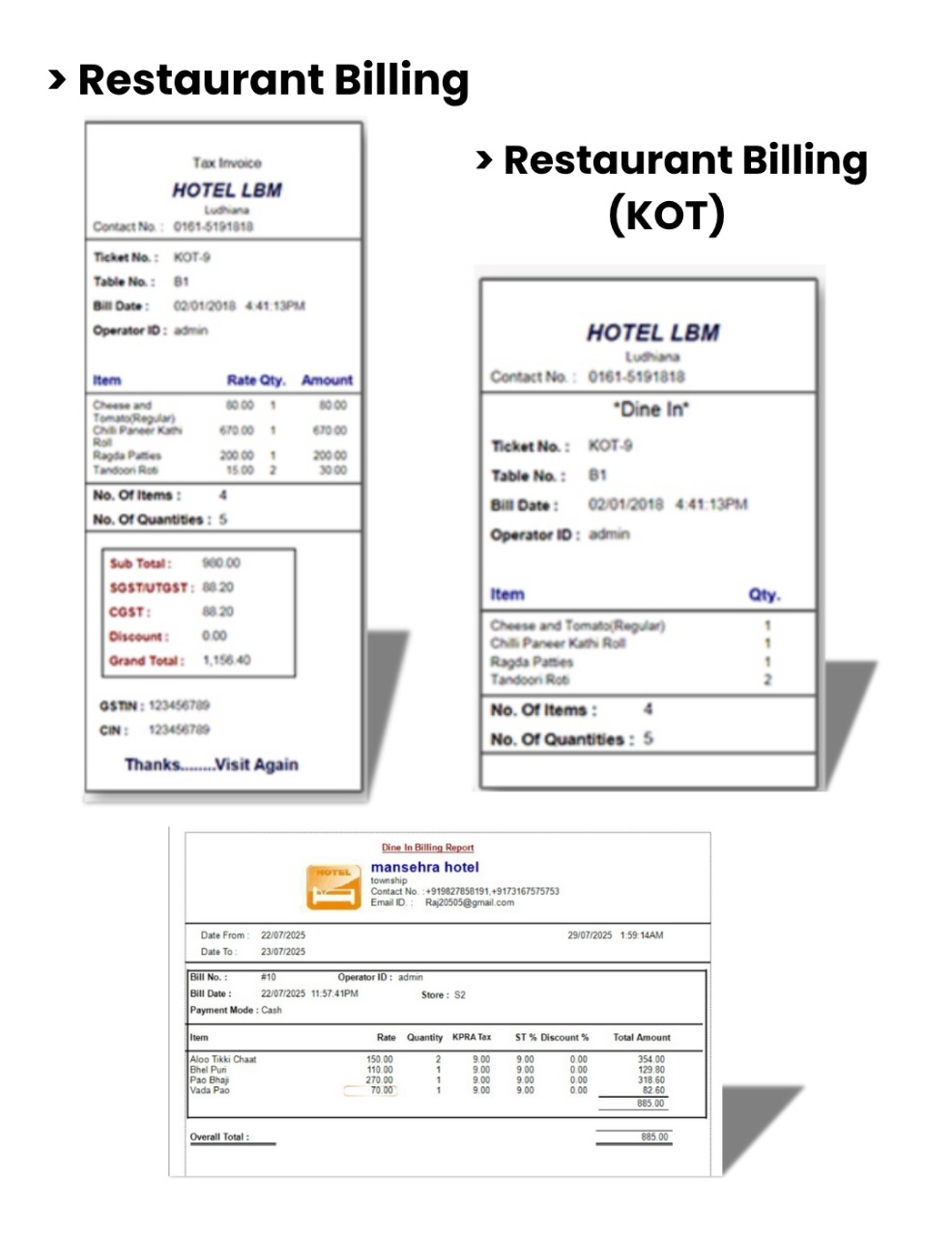
Detailed billing screen for restaurant and bar services showing itemized orders and payment options.
15. Action Buttons (POS)
- New order, send KOT to kitchen/bar, list unpaid bills, settle payments, update or delete orders, retrieve data, print bills.
16. Liquor
- Consolidated list of liquor items per order for verification.
17. Final Billing
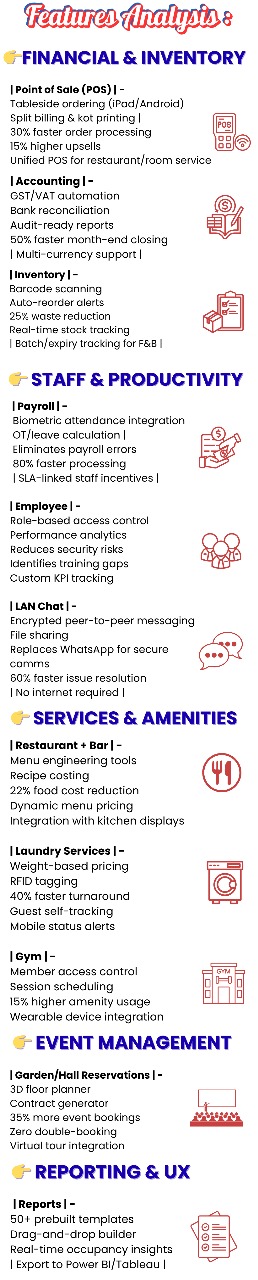
Productivity & Inventory Module Overview – Subtotal of food and liquor, service charges, taxes, grand total, payments received, and balance due.
18. POS (Point of Sale)
- Fast billing for food and beverages linked to guests or rooms.
- Manage work periods (shift start/end) and daily transactions.
- Track open/closed tickets and generate sales reports.
19. Logout
- Secure system exit.
- Prevent unauthorized access.
- May prompt to end active work period before logging out.